Business Communication Systems: How to Build Infrastructure That Supports the Way Your Business Actually Works

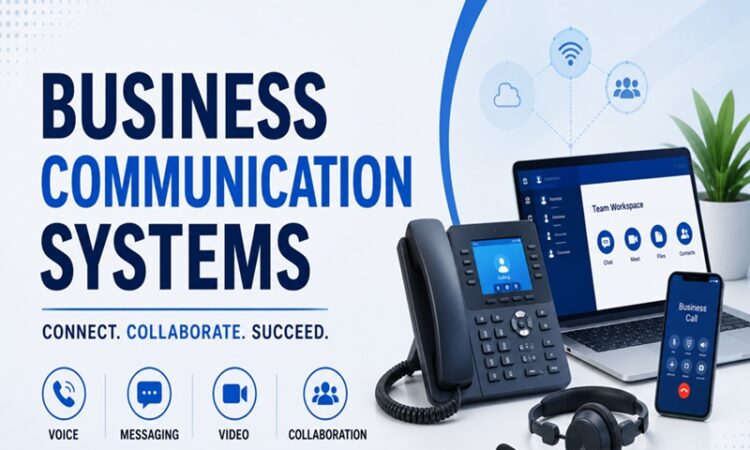
Communication infrastructure is one of those business investments that’s invisible when it’s working and very visible when it isn’t. A phone system that drops calls during client presentations, a video platform that freezes during a product demo, an internal messaging environment where critical information gets buried in noise — these failures have real costs that rarely get attributed back to the communication infrastructure that caused them.
Building business communication systems deliberately, rather than accumulating tools reactively as needs arise, produces an environment where information flows reliably, collaboration happens efficiently, and the technology supports the business rather than creating friction within it.
What Business Communication Systems Actually Cover
Business communication systems is a broader category than it’s often treated. It encompasses every technology through which people inside a business communicate with each other and with external parties including customers, suppliers, partners, and prospects.
That scope includes unified communications platforms combining voice, video, and messaging, business phone systems and VoIP infrastructure, email and productivity suites, team collaboration and messaging platforms, customer-facing communication including live chat and support systems, video conferencing and asynchronous video tools, and increasingly the AI layer that sits across all of these and changes how communication is created, routed, and summarized.
The challenge isn’t understanding each category in isolation. It’s building a coherent system where the categories work together rather than creating redundancy, confusion about which channel to use for what, and fragmentation of information across platforms that nobody can search comprehensively.
The Phone System: Still the Foundation for Many Businesses
Despite the growth of digital communication channels, voice telephony remains essential infrastructure for most businesses. Client relationships, sales conversations, customer service interactions, and the situations where real-time verbal communication is simply the most efficient channel all require reliable phone capability.
Modern business phone systems have moved almost entirely to VoIP technology, transmitting voice over internet connections rather than traditional telephone lines. The advantages over legacy landline systems include significantly lower cost, geographic flexibility that allows employees to use business numbers from anywhere, software integration with CRM and productivity tools, and feature sets that traditional PBX systems couldn’t match at any price.
The main VoIP platforms serving small and mid-sized businesses each have distinct positioning. RingCentral is the most comprehensive unified communications platform in the category, combining voice, video, team messaging, and contact center capabilities in a single integrated system. Its depth of features and integration library make it the enterprise default for businesses that want a single vendor for their entire communications infrastructure. Pricing starts at $20 per user per month and scales with feature requirements.
Nextiva has built a strong position in the small business market with a clean interface, strong customer support reputation, and competitive pricing that starts at $18.95 per user per month. Its call management features including auto-attendant, call routing, and voicemail transcription cover the requirements of most small businesses without the complexity of more comprehensive unified communications platforms.
Vonage Business Communications provides solid VoIP functionality with particular strength in its API capabilities for businesses that want to build custom communication workflows or integrate telephony into custom applications. Its developer-friendly approach makes it a natural choice for technology companies and businesses with in-house development resources.
8×8 competes on international calling rates and global coverage, making it the preferred choice for businesses with significant international communication requirements. Its unlimited international calling to a large number of countries at flat monthly pricing produces meaningful cost savings for businesses with high international call volumes.
Ooma Office serves the small business and solopreneur market with straightforward VoIP at pricing that starts below most full-featured competitors, around $19.95 per user per month, with a focus on simplicity and reliability rather than feature breadth.
Unified Communications: When One Platform Does Most Things
Unified communications as a service, UCaaS, platforms integrate multiple communication channels including voice, video, messaging, and file sharing into a single application and administrative environment. The appeal is consolidation: instead of managing separate phone, video, and messaging platforms with separate billing relationships, user management, and administrative interfaces, a UCaaS platform provides all of these through a single vendor.
Microsoft Teams has become the dominant UCaaS platform for organizations standardized on Microsoft 365. Its integration with the Office productivity suite, SharePoint for file storage, and the broader Microsoft ecosystem creates a coherent communication and collaboration environment that doesn’t require external tools for most common use cases. Teams Phone adds full PSTN calling capability to the Teams environment, completing the replacement of traditional phone systems for organizations that want to consolidate entirely on Microsoft.
The limitation of Teams as a communication platform is interface complexity. The product houses messaging, video, calling, file storage, and application integration in a single interface that some users find overwhelming relative to purpose-built tools. Organizations that deploy Teams successfully typically invest in change management and user training rather than expecting adoption to happen organically.
Zoom has evolved from a video conferencing tool into a UCaaS platform with Zoom Phone for calling, Zoom Team Chat for messaging, and Zoom Rooms for conference room systems. Its meeting quality heritage remains a differentiator for video-heavy organizations, and the platform’s familiarity from the pandemic period reduces adoption friction for new features. The comprehensiveness of the current Zoom platform means organizations that adopted it for video conferencing have a path to full communications consolidation without platform migration.
Cisco Webex competes in the enterprise UCaaS market with particular strength in organizations with existing Cisco infrastructure and in regulated industries where its security certifications and compliance capabilities matter. Its market position has eroded relative to Microsoft and Zoom in the mid-market but remains strong at the large enterprise end.
Customer-Facing Communication Systems
The systems through which a business communicates with customers represent a different set of requirements from internal communication infrastructure. Response time, consistency, and the ability to manage high volumes of interactions efficiently determine the customer experience, and the technology chosen shapes all three.
Live chat platforms for website and in-app customer communication allow customers to get answers in real time without the friction of a phone call or the delay of email. Intercom is the leading platform in this category for growth-stage and mid-market businesses, combining live chat with automated messaging, in-product communication, and a help center in a comprehensive customer messaging platform. Its automation capabilities allow common questions to be handled without human intervention while routing complex inquiries to appropriate team members. Pricing starts at $74 per month for small teams and scales significantly with usage and features.
Zendesk provides customer service infrastructure combining email, chat, phone, and social media channels in a unified support platform with ticketing, knowledge base, and reporting capabilities. It’s the standard platform for businesses building dedicated customer support operations and scales from small teams to large enterprise contact centers. Pricing starts at $55 per agent per month for the Suite Team plan.
Freshdesk offers comparable functionality to Zendesk at lower price points, making it the preferred alternative for cost-sensitive businesses that need multi-channel support capabilities. Its free tier covers basic support operations for very small teams, and paid plans start at $15 per agent per month.
HubSpot Service Hub integrates customer service functionality including ticketing, live chat, and customer feedback directly with the HubSpot CRM, making it the natural choice for businesses already using HubSpot for sales and marketing. The integration between service interactions and the broader customer record eliminates the context-switching between support and CRM systems that standalone service platforms require.
Drift pioneered conversational marketing, using chat as a channel for qualifying and converting website visitors rather than primarily for support. For businesses where website traffic represents significant pipeline opportunity and sales responsiveness is a competitive differentiator, Drift’s revenue-oriented positioning differs meaningfully from support-oriented alternatives.
Conference Room and Physical Space Technology
Business communication systems extend into physical spaces for businesses with office environments. Conference room technology has been transformed by the hybrid work era, where in-person and remote participants need equal presence in meetings regardless of whether they’re physically in the room.
Room systems from Logitech, Poly, and Crestron provide the hardware infrastructure for conference rooms including cameras, microphones, speakers, and display systems designed for professional meeting environments. The difference in audio and video quality between a conference room with professional AV infrastructure and one relying on a laptop webcam and built-in speakers is significant enough to affect the professional impression created in important meetings.
Video bar systems including the Logitech Rally Bar, Poly Studio X series, and Jabra PanaCast 50 provide all-in-one solutions that combine camera, microphone array, and speakers in a single bar form factor that simplifies room setup relative to separate component systems. They’re the practical default for small and medium conference rooms in most business environments.
Room booking systems including Robin, Joan, and Condeco manage meeting room reservations and occupancy, providing visibility into room availability and usage patterns that helps optimize physical space utilization. For businesses with multiple conference rooms and teams that frequently compete for space, room booking systems eliminate the confusion and conflict of unmanaged room access.
The Internal vs. External Communication Architecture
A communication system that works well makes the distinction between internal and external communication clear and routes each to the appropriate channel with appropriate tools.
Internal communication between team members benefits from asynchronous messaging through platforms including Slack or Teams for non-urgent information exchange, synchronous video or voice for discussions requiring real-time interaction, and project management tools for communication specifically tied to deliverables and tasks. The discipline of choosing channels based on the communication’s nature rather than defaulting to whatever is currently open prevents the fragmentation that accumulates when all communication happens through the same channel regardless of type.
External communication with customers, prospects, and partners runs through email for most business correspondence, through phone or video for relationship-building and complex discussions, and through customer-specific platforms where dedicated portals or support channels are appropriate. Maintaining clean separation between internal and external communication prevents the confusion that arises when customer correspondence gets buried in internal messaging streams or when internal discussions accidentally include external parties.
Integration: The Architecture That Ties It Together
The value of individual communication tools is multiplied when they integrate with each other and with the operational systems the business runs on. Integration reduces the manual work of maintaining information consistency across platforms and creates the connected communication environment that isolated tools can’t provide.
CRM integration that logs communication interactions automatically eliminates the manual data entry that salespeople and customer-facing staff otherwise need to perform to maintain accurate contact and interaction records. Most major VoIP and UCaaS platforms integrate with leading CRM systems including Salesforce, HubSpot, and Pipedrive, with calls logged, transcribed, and associated with the relevant contact record automatically.
Calendar integration that connects scheduling to video conferencing eliminates the friction of manual meeting link generation and reduces the scheduling back-and-forth that consumes time before important meetings. Most video platforms integrate with Google Calendar and Microsoft Outlook to create and join meetings directly from calendar invitations.
Help desk and CRM integration that connects customer service interactions to the full customer relationship record gives support agents context about the customer’s history, open opportunities, and past interactions before the conversation begins, which improves both the efficiency and the quality of support interactions.
Security Considerations for Business Communication Systems
Business communication systems handle sensitive information including financial discussions, personnel matters, client data, and strategic planning that creates security obligations worth addressing deliberately rather than as an afterthought.
End-to-end encryption for sensitive communications ensures that content is protected in transit and at rest. The encryption standards and data handling practices of communication platforms matter particularly for businesses in regulated industries where communication security requirements are defined by law rather than preference.
Access control and user management that ensures former employees are removed from communication systems promptly is a basic security practice that many businesses handle inconsistently. User deprovisioning processes that are triggered by offboarding rather than left to manual action prevent the situation where former employees retain access to business communication systems after their employment ends.
Data retention and archiving requirements vary by industry and regulatory context. Financial services firms, healthcare organizations, and public companies face specific communication retention requirements that affect which platforms are appropriate and how they need to be configured. Selecting platforms with appropriate retention and export capabilities before deployment is simpler than retrofitting retention requirements onto platforms that weren’t configured for them.
Building the Right Stack for Business Size
The appropriate communication system architecture varies substantially with business size, and the right configuration for a five-person startup is different from the right configuration for a two-hundred-person mid-market business.
Very small businesses of one to ten people benefit from simplicity. Google Workspace or Microsoft 365 for email and productivity, Zoom or Google Meet for video, and either Slack or Teams for messaging covers the communication needs of most small teams without significant overhead. Adding a basic VoIP system through Grasshopper, OpenPhone, or Ooma provides professional phone capability without enterprise complexity or pricing.
Growing businesses of ten to fifty people need more structure around channel conventions, user management, and the integration between communication tools and the CRM and operational systems the business depends on. A more complete UCaaS evaluation becomes worthwhile at this stage, as does dedicated customer support infrastructure if customer-facing communication volume has reached the point where shared inboxes and ad-hoc handling create service quality problems.
Mid-market businesses of fifty to several hundred people need enterprise-grade reliability, security, and administrative capability alongside the scalability to add users and expand into new locations without significant re-architecting. UCaaS platforms including RingCentral, Microsoft Teams with Teams Phone, or Zoom’s full suite become the appropriate foundation, with dedicated contact center solutions for businesses with significant customer service operations.
The International Telecommunications Union publishes technical standards and research on communications infrastructure that provides vendor-neutral technical grounding for organizations evaluating communication systems against technical standards rather than marketing claims.
The Total Cost of Business Communication
The total cost of business communication systems includes platform licensing, hardware for phones and conference rooms, implementation and configuration, training, and ongoing management. For businesses that haven’t done a recent audit of their communication spending, the total often surprises because subscriptions have accumulated without a comprehensive view of the aggregate.
A mid-sized business of fifty employees might pay $15 to $25 per user per month for UCaaS, $10 to $15 per user per month for a productivity suite if not already included, $5 to $10 per user per month for additional collaboration tools, and variable amounts for customer-facing communication platforms depending on usage volume. The aggregate monthly spend of $30 to $50 per employee or more, totaling $18,000 to $30,000 annually for a fifty-person business, is a meaningful line item that benefits from active management rather than passive accumulation.
The right communication system isn’t the one with the most features or the lowest price. It’s the one that reliably supports the communication patterns the business actually uses, integrates with the operational systems the business depends on, scales with the business as it grows, and doesn’t create more complexity than it removes.